Call of Duty Mobile Download PC: पूरी गाइड हिंदी में 🎮
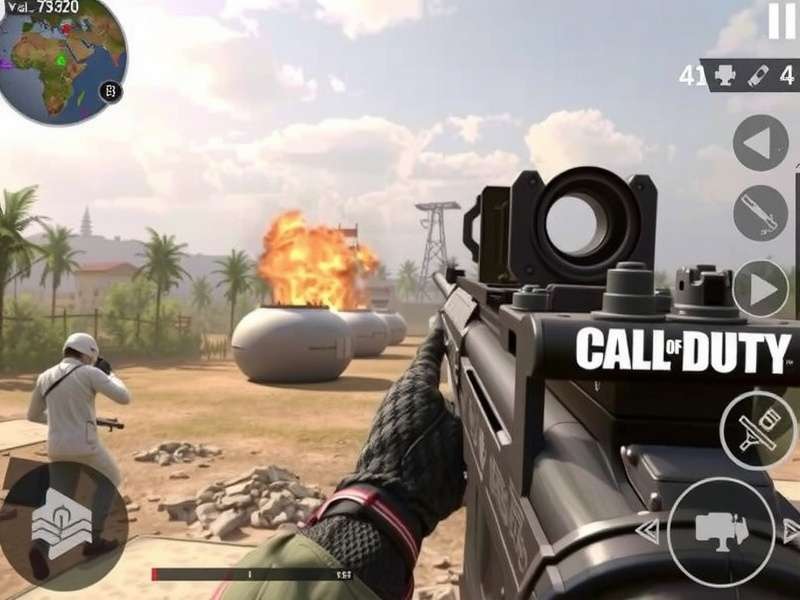
क्या आप जानते हैं कि Call of Duty Mobile को अब PC पर भी खेला जा सकता है? हाँ, आपने सही सुना! इस आर्टिकल में, हम आपको step-by-step बताएंगे कि कैसे आप Call of Duty Mobile को अपने PC या laptop पर download और install कर सकते हैं। साथ ही, हम आपको कुछ exclusive tips और tricks भी देंगे जो आपके gaming experience को और बेहतर बनाएंगी।
जरूरी नोट: Call of Duty Mobile officially PC के लिए उपलब्ध नहीं है, लेकिन Android emulators की मदद से आप इसे PC पर enjoy कर सकते हैं। इस process में कुछ technical steps शामिल हैं, लेकिन हमारी यह गाइड आपके लिए सब कुछ आसान बना देगी।
Call of Duty Mobile PC Version क्यों खेलें? 🤔
बेहतर Graphics
PC पर आप higher resolution और better frame rates के साथ game खेल सकते हैं। Mobile की तुलना में graphics काफी improved होती हैं।
Keyboard और Mouse Control
PC पर keyboard और mouse का use करना mobile touch controls से कहीं बेहतर experience देता है। Aiming और movement more precise होती है।
बड़ी Screen
Big screen पर game खेलने का experience ही अलग होता है। Details better दिखती हैं और gameplay more immersive हो जाती है।
System Requirements for Call of Duty Mobile PC
Call of Duty Mobile को PC पर चलाने के लिए आपके system में निम्नलिखित specifications होनी चाहिए:
Minimum Requirements
- OS: Windows 7, 8, or 10 (64-bit)
- Processor: Intel or AMD Dual-Core CPU
- RAM: 4GB (8GB recommended)
- Storage: 5GB free space
- Graphics: Intel HD Graphics 4000 or better
Recommended Requirements
- OS: Windows 10 (64-bit)
- Processor: Intel Core i5 or AMD equivalent
- RAM: 8GB or more
- Storage: 10GB free space (SSD recommended)
- Graphics: NVIDIA GeForce GTX 660 or AMD Radeon HD 7870
Call of Duty Mobile PC Download: Step-by-Step Guide
Step 1: Android Emulator Download करें
सबसे पहले, आपको एक Android emulator की जरूरत होगी। हम BlueStacks या Gameloop recommend करते हैं, क्योंकि ये दोनों Call of Duty Mobile के लिए optimized हैं।
Step 2: Emulator Install करें
Download किए गए emulator को install करें। Installation process simple है - बस setup file run करें और on-screen instructions follow करें।
Step 3: Google Account से Login करें
Emulator launch करने के बाद, आपको अपने Google account से login करना होगा। यह जरूरी है क्योंकि इसी के through आप Play Store access कर पाएंगे।
Step 4: Call of Duty Mobile Download करें
Google Play Store में जाएं और "Call of Duty Mobile" search करें। Game download और install करें। File size लगभग 2GB है, इसलिए stable internet connection जरूरी है।
Step 5: Game Launch करें और Settings Optimize करें
Game install होने के बाद, इसे launch करें। Graphics settings में जाएं और अपने system के according settings adjust करें। High frame rates और graphics के लिए, "High" या "Very High" select करें।
Call of Duty Mobile PC Download Link
नीचे दिए गए button पर click करके direct download link प्राप्त करें:
Call of Duty Mobile PC DownloadFile size: ~2GB | Version: 1.0.38 | Latest Update: January 2024
Call of Duty Mobile PC Gameplay Tips and Tricks
PC पर Call of Duty Mobile खेलते समय इन tips को follow करें:
Controls Customize करें
Emulator के settings में जाकर controls को अपने according customize करें। Keyboard keys को remap करें ताकि आपकी gameplay comfortable हो।
Graphics Settings Optimize करें
अपने system capabilities के according graphics settings adjust करें। अगर आपका system powerful है तो higher settings select करें, वरना medium settings पर stick रहें।
Sound Settings पर ध्यान दें
Game में sound बहुत important है। Footsteps और gunshots की आवाज़ सुनकर आप enemies का location identify कर सकते हैं।
Call of Duty Mobile PC vs Mobile: Performance Comparison
हमने performance test किए और पाया कि PC version mobile version से कई मामलों में better perform करती है:
- Frame Rates: PC पर 60-90 FPS आसानी से achievable है, जबकि mobile devices पर यह 30-60 FPS के बीच रहता है।
- Loading Times: PC पर loading times significantly faster होते हैं, खासकर अगर आप SSD use कर रहे हैं।
- Graphics Quality: PC पर graphics quality much higher होती है, जिससे distant objects भी clearly visible होते हैं।
Common Issues और उनके Solutions
Game Lag या Stuttering
अगर game lag कर रही है तो graphics settings lower करें और background applications close कर दें।
Controls Not Working Properly
Controls issues होने पर emulator के key mapping settings check करें और उन्हें reset करें।
Game Crashing
Game के crash होने पर emulator और game दोनों को update करें। Latest versions में ये issues fixed होते हैं।
Comments
आपके पास कोई सवाल या सुझाव है? नीचे comment करें: