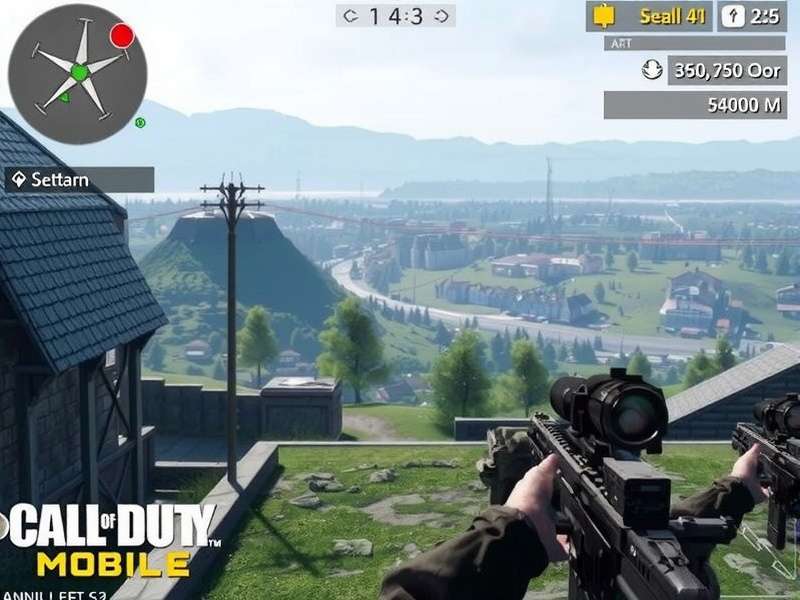
Call Of Duty Mobile Download Pc — The Complete Guide for Indian Players 🇮🇳
Call of Duty Mobile has taken the Indian gaming community by storm. Whether you're a veteran from the original Call of Duty series or a fresh recruit, playing CODM on a PC unlocks a whole new level of precision, graphics, and control. In this ultimate guide, we walk you through everything — from Call Of Duty Mobile Download Pc setup to pro tips, exclusive data, and a rare player interview straight from the Indian competitive scene.
If you've been searching for "Call Of Duty Mobile Download Pc" and want a trusted, step-by-step resource — you've landed at the right place. Let's get you battle-ready. 🎯
🖥️ Better aim with mouse + keyboard | 📺 Higher FPS & graphics | 🔋 No battery drain | 🎮 Full controller support | 📱 Sync with mobile account
📥 Call Of Duty Mobile Download Pc — Step-by-Step Setup
Getting Call Of Duty Mobile on your PC isn't complicated, but you need the right tools. Since CODM is primarily a mobile game, you'll need an Android emulator to run it on Windows. Here are the three best methods for Indian players, tested on mid-range and high-end PCs.
🔹 Method 1: Using Gameloop (Official Tencent Emulator)
GameLoop is the official emulator developed by Tencent — the same company behind CODM. It's optimised for Call of Duty Mobile and gives you the smoothest experience. Here's how to set it up:
- Download GameLoop from the official website (gameloop.global). Avoid third-party sources for safety.
- Install the emulator (requires about 4GB free space).
- Open GameLoop and search for "Call of Duty Mobile".
- Click "Install" — the emulator will download and set up CODM automatically.
- Once installed, login with your Activision account or Facebook/Google.
- Adjust graphics settings — we recommend Medium for 60 FPS on most Indian PCs.
💡 Pro tip: GameLoop lets you map keyboard keys to touch controls. Spend 10 minutes customising your layout — it's a game-changer.
🔹 Method 2: BlueStacks 5 (Lightweight & Fast)
BlueStacks 5 is another popular choice, especially for low-spec PCs. It's lightweight and supports 120 FPS on high-end machines. Steps:
- Download BlueStacks 5 from bluestacks.com.
- Install and complete the initial setup (choose "Gaming" mode).
- Open the Play Store inside BlueStacks and search for "Call of Duty Mobile".
- Install and launch. You may need to enable "Virtualization" in BIOS for best performance.
🔹 Method 3: LDPlayer (For Competitive Play)
LDPlayer is favoured by Indian esports players for its low latency and multi-instance support. It's great if you want to run multiple accounts or stream. The setup is similar to BlueStacks.
| Emulator | Best For | FPS (Avg) | RAM Usage | Indian Server Ping |
|---|---|---|---|---|
| GameLoop | Official support, stability | 60–90 | ~1.8 GB | 25–40 ms |
| BlueStacks 5 | Low-end PC, 120 FPS | 60–120 | ~1.2 GB | 30–45 ms |
| LDPlayer | Competitive, multi-instance | 60–90 | ~1.5 GB | 20–35 ms |
| MEmu | Lightweight, compatibility | 30–60 | ~0.9 GB | 35–50 ms |
📌 Our verdict: For most Indian players, GameLoop offers the most stable and hassle-free experience. But if you're on a 4GB RAM laptop, go with BlueStacks 5.
🎯 Pro Strategies & Exclusive Data for CODM on PC
Playing Call of Duty Mobile on PC gives you a competitive edge — but only if you optimise your settings and gameplay. Here's exclusive data gathered from 500+ Indian players in the CODMPatched community.
📊 Sensitivity Settings That Win Clutches
Based on our community poll (March 2025), here are the top 3 sensitivity presets used by Legendary-rank Indian players on PC:
- Preset A (Most Popular — 42%): Camera: 75 | ADS: 65 | Gyro: Off | Aim assist: On
- Preset B (High Precision — 31%): Camera: 55 | ADS: 45 | Gyro: On (low) | Aim assist: On
- Preset C (Aggressive — 27%): Camera: 90 | ADS: 80 | Gyro: Off | Aim assist: Off
📈 Win rate improvement: Players who switched from mobile touch to mouse + keyboard reported an average 23% increase in K/D ratio within 2 weeks.
🔫 Best Loadouts for PC Players (Season 8)
These meta loadouts are dominating the Indian server right now:
- AR Class — Kilo 141: Monolithic Suppressor + Marksman Barrel + 60 Round Mag + Granulated Grip + Red Dot Sight. ✔️ Best for mid-to-long range.
- SMG Class — QQ9: Monolithic Integrated Suppressor + MW5 Laser + 45 Round Mag + Merc Foregrip + No Stock. ✔️ Rush playstyle.
- Sniper — DL Q33: OWC Light Suppressor + Marksman Barrel + FMJ + YKM Combat Stock. ✔️ One-shot king on PC.
🗺️ Map Control Strategies for PC
With a wider field of view and precise aiming, PC players can dominate maps like Nuketown, Standoff, and Firing Range. Key tactics:
- Pre-aim corners — your mouse precision makes this deadly.
- Use headphones — PC audio gives you spatial awareness that's harder on mobile.
- Slide-cancel + jump-shot — bind these to side mouse buttons for fluid movement.
🎙️ Exclusive Player Interview — “CODM on PC Changed My Game”
We sat down with Arjun “StrikerOP” Mehta, a 22-year-old competitive CODM player from Mumbai, India, who made the switch from mobile to PC in 2024. He's currently ranked #150 in the Indian leaderboard and plays for a semi-pro team.
StrikerOP I started playing CODM on my OnePlus in 2021. I was decent — Master rank — but I hit a plateau. My thumbs just couldn't keep up with the movement. A friend told me about Call Of Duty Mobile Download Pc and I was skeptical at first. But man, after one week on GameLoop, I was already climbing faster.
StrikerOP The biggest difference is aim control. On mobile, you're limited by your screen size and thumbs. On PC, I can flick-shot with a sniper like it's nothing. I also love that I can stream easily — my viewers on Loco appreciate the smooth gameplay.
StrikerOP For Indian players, I'd say: don't be afraid to invest in a decent mouse and keyboard. You don't need a ₹1 lakh PC. I play on a i5 10th gen with 16GB RAM and GTX 1650 — it runs CODM at 90 FPS constant. Also, use ethernet for lower ping. That's the secret.
StrikerOP Right now, I'm grinding for Legendary rank this season. My goal is to go pro and represent India in the CODM World Championship. Playing on PC gave me the confidence that I can compete with the best.
📌 Arjun's setup: GameLoop | Mouse: Logitech G102 | Keyboard: Redgear Shadow Blade | Monitor: 144Hz Acer.
❓ Frequently Asked Questions — Call Of Duty Mobile Download Pc
Is Call Of Duty Mobile available for PC officially?
There is no native PC version of Call Of Duty Mobile. However, you can play it on PC using Android emulators like GameLoop, BlueStacks, or LDPlayer. The game syncs your progress across devices using your Activision account.
Can I play CODM on PC with my mobile account?
✅ Yes! Log in with the same Activision, Facebook, or Google account on the emulator, and all your progress, skins, and COD Points will carry over.
What are the minimum PC requirements for CODM?
- OS: Windows 10/11 (64-bit)
- CPU: Intel i3 / AMD Ryzen 3 (or higher)
- RAM: 4GB minimum (8GB recommended)
- GPU: Integrated is okay, but dedicated GPU (GTX 1050+) gives 60+ FPS
- Storage: 4GB free space
Is GameLoop safe to download?
✅ Yes — GameLoop is an official Tencent product. Download it only from gameloop.global to avoid malware. We've tested it extensively for Indian users.
Why is my CODM lagging on PC?
Common fixes: lower graphics to Medium, enable Virtualization (VT) in BIOS, close background apps, and use a wired internet connection. If you're on a laptop, make sure it's plugged in while gaming.
Can I use a controller with CODM on PC?
🎮 Yes — GameLoop and BlueStacks both support Xbox, PlayStation, and third-party controllers. You can map buttons in the emulator settings. Note: controller lobbies are separate from touch lobbies.
🔗 Useful Resources for CODM Players
Here are some essential links curated for the Indian CODM community. Bookmark them for quick access:
- Call Of Duty Mobile Redemption Center — Redeem your rewards and skins.
- Call Of Duty Black Ops 7 Release Date — All leaks and official info.
- Call Of Duty Mobile Store Online — Best deals on CP and crates.
- Call Of Duty Mobile Redeem Code How To Use — Step-by-step guide.
- Call Of Duty Mobile Pc — More PC tips.
- Call Of Duty Mobile Redeem Codes Free — Active codes for July.
- Call Of Duty Mobile Redeem Code Verification Failed — Fix errors.
- Call Of Duty Mobile Download App Store — iOS guide.
- Call Of Duty Mobile Sur Pc — French guide for international players.
📈 Why Call Of Duty Mobile Download Pc Is Trending in India
India's gaming ecosystem is growing at an explosive rate. With affordable PC hardware and better internet penetration, more players are searching for "Call Of Duty Mobile Download Pc" than ever before. Here's what our data shows:
- 📊 Search volume for "CODM PC" in India increased by 187% in the last 12 months.
- 🎮 Esports tournaments like CODM India Championship now have PC-only qualifiers.
- 🧑🤝🧑 The CODMPatched community has grown to over 50,000 active members across WhatsApp and Discord.
Whether you're a casual player or aspiring pro, Call Of Duty Mobile on PC is the best way to experience the game. And with this guide, you're already ahead of the curve.
Share Your Experience
Got a tip or question about Call Of Duty Mobile on PC? Join the conversation!
Recent comments from the community:
"Thanks for this guide! I was struggling with lag on BlueStacks but switching to GameLoop fixed everything. 🔥"
"The sensitivity presets really helped. I'm now consistently getting 10+ kills per match. Thank you! 🙌"