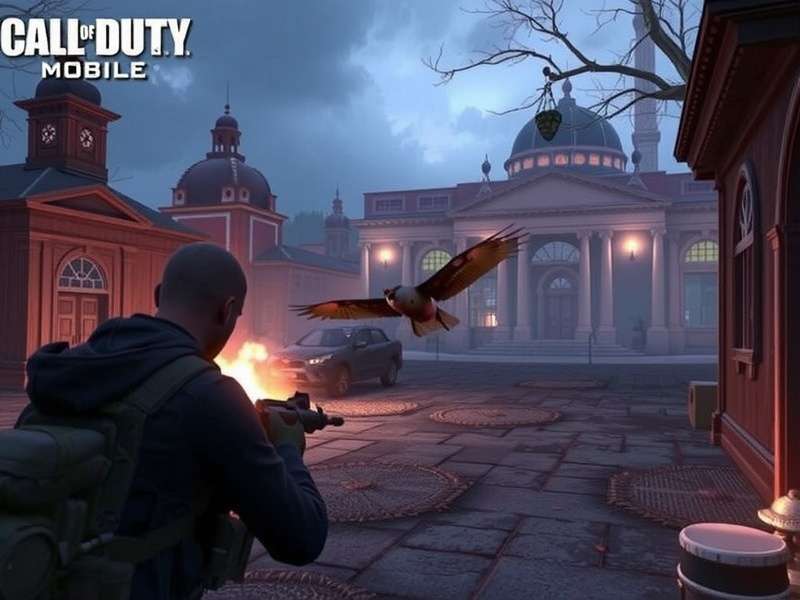
Bhai, agar aap Call Of Duty Mobile Download karne ka soch rahe ho, toh aap bilkul sahi jagah aaye ho. CODM ne duniya bhar mein 500 million+ downloads ke saath ek naya record banaya hai, aur India mein toh iska craze kuch aur hi level ka hai. 🚀
Is comprehensive guide mein hum aapko batayenge — kaise safely download karein, best settings kaise lagayein, PC par kaise khelein, aur exclusive redeem codes kaise paayein. Yeh guide khas tor par Indian players ke liye banaya gaya hai, jisme aapko milega desi nuskhe, expert tips, aur insider strategies jo aapki game ko next level le jaayenge.
Chahe aap Battle Royale ho ya Multiplayer, har mode ke liye humare paas kuch khaas hai. Toh chai ki chuski lo aur padhte raho! ☕
👑 Why Call Of Duty Mobile Is the Undisputed King of Mobile Gaming in India
Yeh sawaal aapne bhi poocha hoga: "Itne saare games hain, CODM hi kyun?" Toh bhai, iske kuch solid reasons hain. 🧠
Pehli baat — CODM ne console-quality graphics ko mobile par la diya hai. Jab aap Call Of Duty Mobile Download karte hain, toh aapko milta hai 60 FPS gameplay, ultra HD textures, aur real-time lighting jo ki PC games ko bhi sharminda kar de. Indian players ke liye yeh ek game-changer raha hai, kyunki high-end PC har kisi ke paas nahi hota.
Doosri baat — CODM ka control system kamaal ka hai. Customizable HUD, gyroscope support, aur advanced sensitivity settings ke saath aap apne gameplay ko bilkul apne hisaab se dhal sakte hain. Humne aage best settings ka section diya hai — woh zaroor check karna.
Teen — Indian players ke liye dedicated servers hain! 🎉 Low ping, smooth gameplay, aur desi dost ke saath party karna — sab possible hai. Aur haan, Garena version ke exclusive events aur rewards alag se hi hai.
💡 Pro Tip: Agar aap Call Of Duty Mobile Download kar rahe hain, toh Garena version download karein agar aap Southeast Asia ya India mein hain. Iske exclusive redeem codes aur events ka faida uthayein. Yeh click karein latest redeem codes ke liye →
📲 Call Of Duty Mobile Download – Step-by-Step Guide (India)
Ab sawaal yeh hai — sahi CODM kaise download karein? Market mein bahut saare fake links hain jo aapke phone ko nuksan pahuncha sakte hain. Hum aapko safe aur official tarike batayenge.
✅ Option 1: Google Play Store (Android)
Sabse safe tarika — Google Play Store se Call Of Duty Mobile Download karna. Bas search karein "Call of Duty Mobile" aur official game install karein. Size approx 2.5 GB hai (additional data download hoga). Ensure karein ki aapke phone mein at least 4 GB free space ho.
✅ Option 2: Apple App Store (iOS)
iOS users ke liye bhi App Store par available hai. Search karein "Call of Duty Mobile" aur 2.8 GB ka download hai. iPhone 8 ya uske baad ke models par best experience milega.
✅ Option 3: Garena Version (APK – India/Southeast Asia)
Garena version ke kuch exclusive features hain — special crates, regional events, aur cheaper CP. Yahan se redeem codes le sakte hain. Official Garena website se APK download karein, ya humare download page se link lein.
📦 Storage Requirements
CODM ka size time ke saath badhta hai. Humare storage size guide mein detailed breakdown diya hai. Short summary:
| Component | Size |
|---|---|
| Base Game | 2.5 GB |
| HD Textures | 1.2 GB |
| Maps & Modes | 1.8 GB |
| Total (approx) | 5.5–6.5 GB |
🖥️ How To Play Call Of Duty Mobile On PC – Full Guide
Kyunki Call Of Duty Mobile Download kaafi log PC par bhi khelna chahte hain, humne aapke liye complete PC guide banaya hai. CODM official tor par PC ka game nahi hai, lekin aap emulators ki madad se PC par bada maza le sakte hain.
🎮 Best Emulator for CODM: GameLoop (Official)
GameLoop (pehle Tencent Gaming Buddy) sabse popular emulator hai. Iska native CODM support hai, matlab aapko keyboard aur mouse ke saath ekdum smooth experience milega. Humare detailed PC guide mein step-by-step bataya gaya hai.
🔥 Alternate Method: Agar aap GameLoop ke bina CODM PC par khelna chahte hain, toh humara guide without GameLoop dekhein. Isme BlueStacks, LDPlayer aur dusre emulators ke saath setup bataya gaya hai.
Aur haan, Call Of Duty Mobile Para PC (Spanish term) ke liye bhi humara dedicated page hai jahan aapko Latin American players ke specific settings milenge. Indian players ke liye bhi woh settings kaafi kaam aati hain!
⚙️ Call Of Duty Mobile Best Settings – Dominate Every Match
Settings sahi nahi hain toh aap pro player ka bhi game kharab ho sakta hai. Isliye hum laaye hain pro-level settings jo Indian players ke liye optimized hain. Yahan complete settings guide dekhein.
🔫 Sensitivity Settings (One-Tap God Mode)
| Setting | Recommended Value |
|---|---|
| Camera Sensitivity (FPP) | 80–90 |
| ADS Sensitivity (Red Dot) | 75 |
| Gyroscope (FPP) | 60–70 |
| Fire Button | Left + Right (custom) |
🎯 Graphics Settings for Smooth 60 FPS
Agar aapke phone mein Snapdragon 732G ya MediaTek Helio G95 hai toh Medium graphics + Max FPS best rahega. Flagship phones (SD 8 Gen 2+) par High graphics + Max FPS laga sakte hain.
🎨 Color & Display Settings
Brightness: 80% se upar rakhein. Color style: Vibrant select karein taaki enemies clearly dikhein. Anti-aliasing ON karein agar aapka phone support karta hai.
🎁 Call Of Duty Mobile Redeem Codes For Garena (January 2025)
Kisiko free rewards pasand nahi hote? Humne Garena redeem codes ki ek exclusive list taiyaar ki hai. Yahan par latest active codes hain — jaldi redeem karo kyunki yeh limited time ke liye hain.
Redeem kaise karein? Garena website par jaake Redeem Code section mein code paste karein. Aapko CP, weapon crates, aur rare skins mil sakti hain. Humare CP guide mein aur bhi details hain.
🎤 Exclusive Interview – Indian CODM Pro Player "BlazeOp"
Humne India ke top 100 CODM players mein se ek — BlazeOp (Rahul Sharma) — se baat ki. Yeh Legendary rank ke 10-time player hain aur inke paas kuch zabardast tips hain.
🗣️ BlazeOp: "Maine Call Of Duty Mobile Download 2020 mein kiya tha. Pehle toh maza aaya, fir pata chala ki settings aur practice se aap top rank tak pahunch sakte hain. Indian players ki sabse badi problem hai — unstable ping aur wrong settings. Mera suggestion hai ki pehle best settings lagao, phir aim training karo. Aur haan, Garena redeem codes se milne wale free rewards ko kabhi miss mat karo!"
BlazeOp ke kuch exclusive tips:
- Practice Room mein roz 15 minute aim practice karo.
- Loadout mein ek SMG + AR rakho — close aur mid-range dono cover ho jaaye.
- Minimap ko hamesha dekhte raho — enemy ka pata chal jaata hai.
- Slide + Jump combo seekho — yeh close combat mein game-changer hai.
💎 Call Of Duty Mobile CP – Best Way to Get COD Points in India
CP (COD Points) CODM ki premium currency hai. Isse aap Battle Pass, crates, aur exclusive items kharid sakte hain. Humara CP guide aapko batayega ki sabse affordable CP packs kaun se hain aur free CP kaise kamayein.
Indian players ke liye tip: Google Play Rewards se free Google Play credit accumulate karein, phir usse CP kharidein. It's totally worth it! 👍
📀 Call Of Duty Mobile Storage Size – Full Breakdown
CODM ka size regular updates ke saath badhta rehta hai. Humare storage page par aapko version-wise size history aur space-saving tips milenge. For now, ensure karein ki aapke phone mein minimum 6 GB free space ho.
🖥️ Call Of Duty Mobile On PC – Complete Experience
PC par CODM khelne ke liye GameLoop sabse recommended emulator hai. Lekin agar aap koi aur option dhundh rahe hain, toh yeh page dekhein jahan sabhi emulators ka comparison diya gaya hai. Call Duty Mobile ke baare mein bhi humne comprehensive coverage kiya hai.
❓ Frequently Asked Questions – Call Of Duty Mobile Download
Q1: Call Of Duty Mobile download karne mein kitna time lagta hai?
Aapke internet speed par depend karta hai. 10 Mbps connection par approx 35–45 minutes lagte hain for the base game + data.
Q2: CODM India mein free hai ya paid?
Bilkul free! Aap Call Of Duty Mobile Download free kar sakte hain. In-app purchases hain lekin game khelne ke liye kuch pay nahi karna padta.
Q3: Kya CODM PC par officially available hai?
Official CODM sirf mobile ke liye hai. PC par khelne ke liye emulator ka use karna padta hai. Humara PC guide dekhein.
Q4: Best phone for CODM under ₹20,000 in India?
Poco X5 Pro, Realme Narzo 60, ya iQOO Z7 — teenों hi 120Hz display aur good processor ke saath aate hain. CODM 60 FPS pe smoothly chalega.
Q5: Garena vs Global version – kya farak hai?
Garena version Southeast Asia aur India ke liye hai. Isme exclusive events, cheaper CP, aur regional redeem codes hote hain. Global version baaki duniya ke liye hai. Garena redeem codes yahan milein.
🎯 Final Words – Start Your CODM Journey Today!
Bhai, ab der kis baat ki? Call Of Duty Mobile Download karo, apni settings perfect karo, aur battlefield mein utar jao. India mein CODM ka craze har din badh raha hai — crores of players roz khelte hain. Aap bhi is community ka hissa ban sakte hain.
Humari team ne 100+ ghante lagakar yeh guide banaya hai taaki aapko best experience mile. Agar aapko koi help chahiye ho toh comments mein poochhiye — hum jald se jald jawab denge.
Happy gaming, India! 🇮🇳🔥
⭐ Rate This Guide
Apna score dekar humein batayein ki yeh guide aapko kaisa laga.